en-my


The 96M referral program pays you for bringing a friend onto the platform, and the mechanics are simple enough to explain in a paragraph: you share your own referral link, your friend registers through it, your friend deposits MYR 1,000 within 30 days of registering, and then you apply for the reward. Everything you need sits in one place inside your account, under Referral.
Two details decide whether a referral actually pays. The first is the friend’s deposit requirement and its 30-day window. The second is that the claim is manual: you submit it yourself with a few identifying details, rather than waiting for a credit to appear on its own. The rest of this page covers both, step by step, plus what the status labels on your referral page are telling you.

Log in, open your account menu and choose Referral under the Account section. That page holds the three things you need:
Use your own link or your own code and nothing else. A friend who registers without either of them is not attached to your referral, so it is worth checking that your friend has the link in front of them before they start filling in the form. If you would rather walk them through the sign-up screen itself, the fields and the security steps are covered on our page about registering and securing an account.
The deposit requirement is the whole test, so it helps to tell your friend the figure and the window up front rather than leaving them to discover it later. The 30 days are counted from the day they register, not from the day you sent the link.
Your friend’s own new-member offers are separate from your referral reward and belong to them. A welcome bonus they claim on their first deposit has its own conditions, listed with the offer itself among our current promotions, and claiming it does not change what you need to do here.
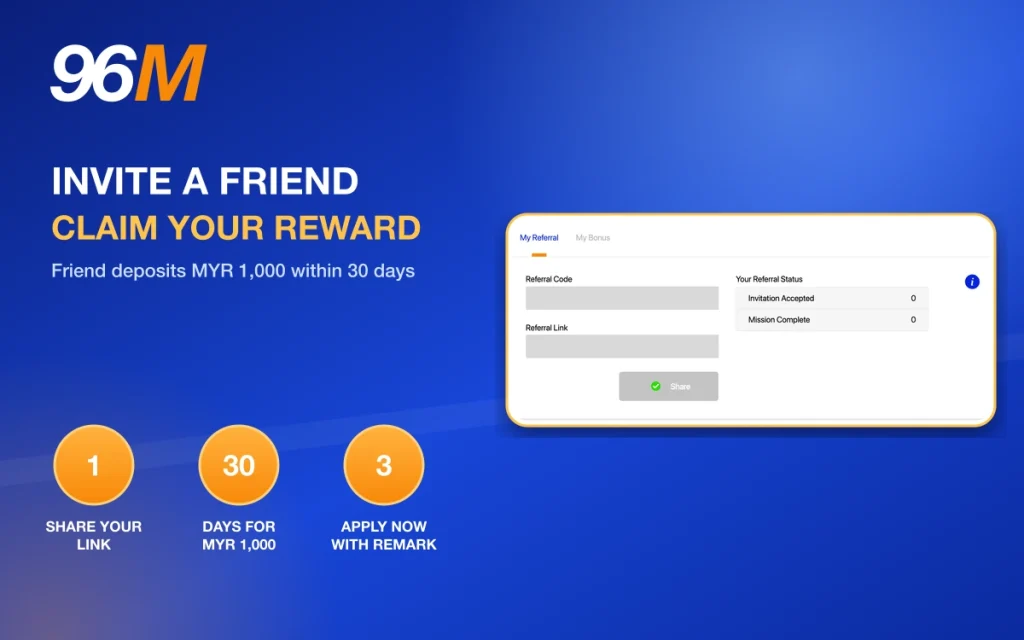
Once your friend has met the deposit requirement, the reward is yours to request. It is not credited by itself.
Getting the remark right matters more than it looks. Your username identifies the account to credit, your friend’s username is what links the claim to a qualifying registration and deposit, and the provider you name is where the reward is applied. Leaving one of those out leaves the claim incomplete. If you are unsure which provider to nominate, decide where you actually intend to play before you submit rather than after.
The reward amount, and any conditions attached to it, are set in the referral promotion’s own terms. Read them alongside your claim so you know exactly what you are applying for.
Your Referral Status uses two plain labels, and they map onto the two stages above:
So an invitation that stays at Invitation Accepted most likely means the deposit requirement has not been completed yet, and the 30-day window is still running in the background. A friendly reminder to your friend is more useful there than a support ticket.