en-my


Money at 96M moves through three deposit routes and three withdrawal routes, and the figures behind them are fixed and easy to plan around: a deposit can land in about a minute, a withdrawal is processed in roughly 25 minutes once your details are complete, the minimum payout is MYR 50, and we add no fee at either end.
What does take a little preparation is your first withdrawal. A 6-digit PIN, a bound bank account and a name that matches your bank record all have to be in place before a payout can go through, so it is worth setting them up on the day you register rather than on the day you win.
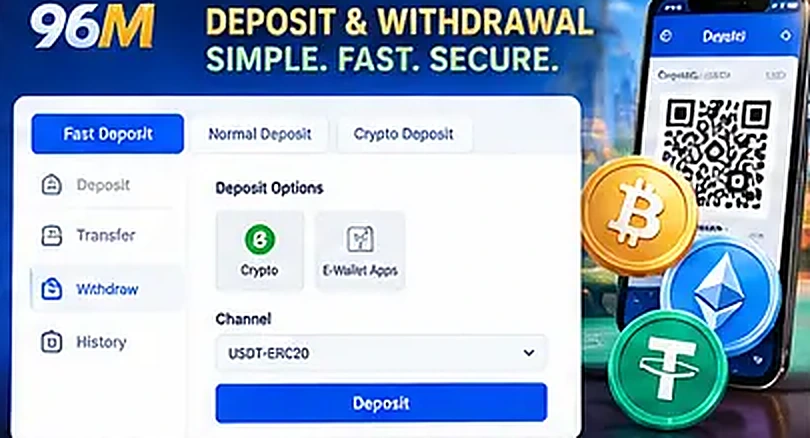
The Deposit page under the Fund menu opens with three tabs, each with its own speed and its own way of confirming the transfer. Whichever you pick, the money arrives in your Main Wallet, and each tab shows the current deposit minimum and maximum inside the form itself.
| Deposit route | Typical time | How it works | What you need |
|---|---|---|---|
| Fast Deposit | about 1 minute | Quick Pay or QR Pay through a payment gateway | Online banking or a QR-capable banking app |
| Normal Deposit | about 5 minutes | Manual bank transfer to a listed 96M deposit account | Your own sender bank added to your profile, plus the transfer receipt |
| Crypto Deposit | 1 to 15 minutes | Send coin to the deposit address shown for your chosen network | A wallet holding USDT, ETH or BTC |
Fast Deposit routes your transfer through a payment gateway rather than a manual bank transfer, which is why it clears in roughly a minute. You choose Quick Pay or QR Pay, pick your bank, enter the amount and complete the payment in your banking app. The gateway selection includes DirectPay, TruePay, TTPay, RapidPay, Koipay and 911 Payments, and the bank list marks which banks are currently online: Maybank, CIMB Bank and RHB Bank appear as available options there.
Because availability is driven by the gateways and the banks behind them, the online markers matter. If your bank is not showing as online at that moment, the Normal Deposit tab is the fallback rather than a sign that anything is wrong with your account.
Normal Deposit is a straightforward bank transfer to a 96M deposit account, with Maybank and Affin Bank Berhad among the receiving accounts listed. It takes about 5 minutes because it is processed manually, and that manual step is exactly where the practical detail lies.
Two things speed it up. First, your own bank account has to be added to your profile before you deposit, because the form asks you to nominate the Sender Bank, and only accounts already saved appear in that list. Second, uploading the transfer receipt is recommended, since it lets the transfer be matched and credited faster. Preset amount buttons of MYR 30, 50, 100, 200 and 500 sit above the amount field for convenience, and there is an optional promo code field if you are depositing into an offer.
One limit to be aware of on this route: cheques and bank drafts are not accepted, and bank transfer deposits are made from Malaysian Ringgit accounts.
The crypto tab covers Crypto and E-Wallet Apps, and the coin and network you choose set the speed. USDT on ERC20 takes about 2 minutes and needs 1 block confirmation, ETH on ERC20 takes about 3 minutes with 1 block confirmation, and Bitcoin takes more than 15 minutes. USDT and ETH run on ERC20 here, so send only on that network.
If you are new and funding by crypto, there is a 2% bonus on crypto-only deposits during your first month after joining, capped at MYR 688 despite the offer being titled as unlimited.
Deposits land in your Main Wallet straight away, so you can move funds to a table or a slot as soon as the deposit is credited.
A little general background helps if crypto is new to you. A token like USDT exists on several blockchains, and ERC20 is the token standard used on the Ethereum network. In general, a transfer sent on one network cannot be received by an address expecting another, which is why the network selector on the deposit form is not a cosmetic choice: picking the wrong one is a classic way for a crypto deposit to go astray on any platform.
Block confirmations are the other half of the timing. A transaction is broadcast immediately, but it is treated as settled only after it has been included in a block and, typically, after a set number of further blocks have been added. Ethereum blocks arrive every few seconds, which is why a single confirmation on an ERC20 transfer resolves in minutes. Bitcoin blocks arrive roughly every ten minutes as a rule, which is the plain reason the BTC option is quoted at more than 15 minutes rather than being described as slow by 96M’s standards.
Network fees work the same way for everyone. They are charged by the blockchain, they fluctuate with congestion, and ERC20 transfers generally cost more than transfers on some newer or lighter networks. That is a property of the network, not a charge added by 96M.
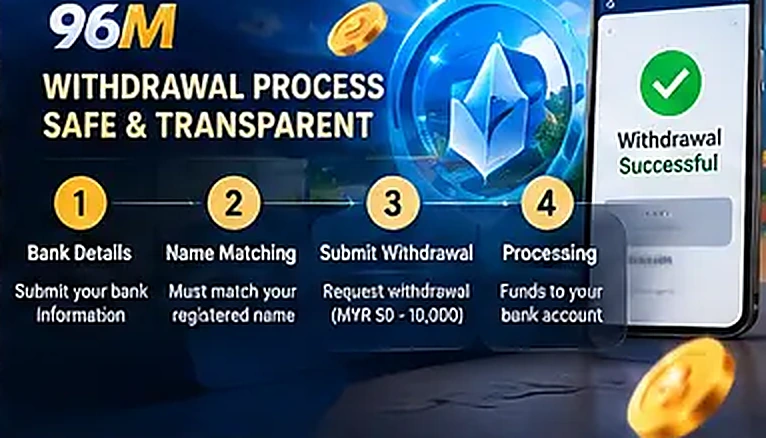
Withdrawals are made from the Withdraw page under Fund, which offers three tabs: Bank Transfer, E-Wallet and Crypto. Cryptocurrency payouts are supported alongside the local options.
On the Bank Transfer form you select your bank, enter the account number and the amount, and the Account Name field is filled in from your registered full name and cannot be edited. The bank list is broad and covers most of what a Malaysian player will need, including Maybank, CIMB Bank, Public Bank Berhad, RHB Bank, Hong Leong Bank, AmBank, Bank Islam Malaysia, Bank Rakyat, Alliance Bank, HSBC Bank, OCBC Bank, Standard Chartered, GX Bank Berhad and Ryt Bank, with an Other Banks option for anything outside the named list.
| Withdrawal detail | Normal level |
|---|---|
| Minimum per withdrawal | MYR 50 |
| Maximum per transaction | MYR 50,000 |
| Daily maximum withdrawal | MYR 50,000 |
| Daily bank withdrawal limit | MYR 50,000 |
| Daily crypto withdrawal limit | MYR 50,000 |
| Withdrawal transactions per day | 10 |
| Processing time | about 25 minutes, then your bank’s own time |
Read those figures together rather than separately. At Normal level the per-transaction ceiling and the daily ceiling are both MYR 50,000, so a single large payout uses the whole day’s allowance. The ten-transaction count is generous for ordinary play but it is a real daily stop, and quick amount buttons of 300, 800, 1,500 and 3,000 sit on the form as shortcuts.
The 25-minute figure is processing time on the 96M side, and it starts once every required detail has been received. Bank arrival is a separate stage governed by your own bank, which is why a payout approved late at night or over a weekend can be processed quickly and still show up in your account later.
A payout can only move once your account is set up for it. Clear these steps once and every later withdrawal becomes a short routine.
Your balance panel shows a Total Balance in MYR, split into Withdrawable and Non-Withdrawable. That split explains why a balance can look available while only part of it can be withdrawn: bonus funds sit on the non-withdrawable side until the conditions attached to them have been met, and only the withdrawable portion can leave the account. The welcome bonus, for example, carries 10x wagering to be completed within 30 days, and each offer’s own terms govern the rest, which is why the turnover conditions on each promotion are worth reading before you claim.
Behind the panel sit two kinds of wallet. The Main Wallet is the one that holds what can be withdrawn or transferred, and new deposits land there instantly. To play a particular product you move money from the Main Wallet into that product’s wallet, using Transfer under Fund, where you set the amount, the source, the destination and, if relevant, a promo code or special code. Product wallets such as 918Kiss, Esports Bull, Funky Games, Grand Dragon, Mega888, QQ Keno, TC Gaming SEA Lottery and WS168 each display their own balance and their own turnover progress, with an ALL IN button for moving a full balance in one go.
Daily rebates follow their own simple cycle: they are calculated on the day’s eligible turnover up to the 23:59:59 GMT+8 cut-off, credited the next day, and carry no rollover requirement before withdrawal. Credited amounts can be checked under History in the Fund menu.
The MYR 50,000 figures above are the Normal-level position, and they are the lowest rungs on the ladder. From Rose Gold the daily maximum withdrawal rises to MYR 100,000, and higher tiers reach MYR 300,000 a day, while the per-transaction ceiling climbs from MYR 50,000 to MYR 80,000, MYR 100,000, MYR 200,000 and MYR 300,000. The daily transaction count rises too, from 10 at Normal to 15 at Ruby, 20 at Sapphire and 30 at Emerald, with the top Royal figures set by invitation. From Rose Gold members also get an account manager, and VIP requests on deposits and withdrawals are handled first.
If larger or more frequent payouts are your reason for reading this page, the full ladder, including the accumulated deposit needed for each upgrade and the three-month maintenance rule from Ruby upwards, is set out with the VIP tiers and rebate rates.