en-my


Everything you need for 96M login and registration sits in two places: the Login and Join Now buttons at the top of the page, and the account area you reach once you are signed in. Registration itself is a single short form; the part worth doing carefully is the account setup that follows, because your full name, your bound bank account and your 6-digit PIN decide whether your first withdrawal goes through on the first attempt.
This guide walks through signing in, creating an account, setting up the security that withdrawals depend on, and the fixes for the things that can stop a registration or a login from completing.
Select Login in the header, enter your username and password, and you are taken straight into your account. There is no separate login page to hunt for: the same button appears at the top of every section of the site, whether you are browsing casino tables, the slot lobby or the promotions list.
If the password is not accepted, use Forgot Password, which sits beside the login button in the header, and follow the recovery steps it shows. Where a recovery message or verification code does not arrive at all, live chat is the route to take; Customer Service is available 24 hours a day and handles OTP and access problems.
If you sign in from a phone several times a day, the app is worth a look: it includes an Express Login feature that keeps you signed in between sessions. The mobile app is a free download from the App Store and Google Play.
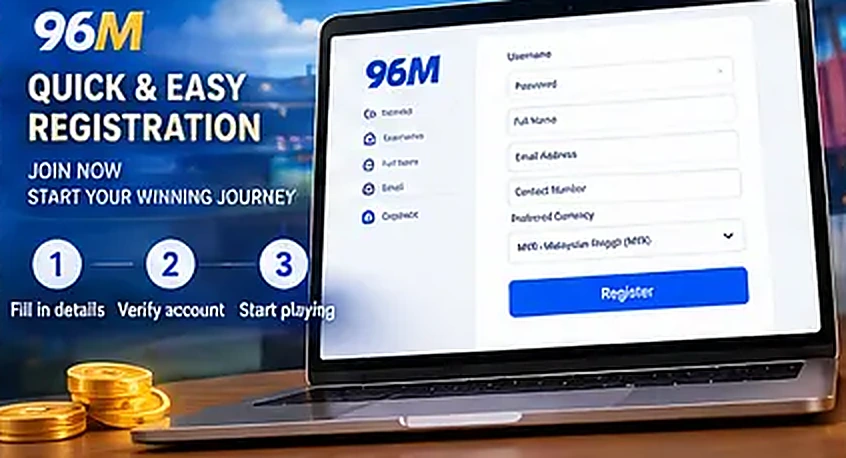
The registration form asks for seven things, one of which is optional. Read the field notes below before you start, because two of them, the contact number format and your full name, have rules that are easy to miss.
| Field | What to enter | Why it matters |
|---|---|---|
| Username | Your chosen login name | This is what you type at every 96M login |
| Password | 8 to 20 characters, upper and lower case, at least one number | Weak or short entries are rejected on submit |
| Full Name | Your name as printed on your bank account | Used for payment verification and locked to withdrawals |
| Email Address | A mailbox you can open now | Receives verification and recovery codes |
| Contact Number | Number without the +60 prefix, with +60 chosen in the selector | A number typed with the prefix is rejected |
| Preferred Currency | Malaysian Ringgit (MYR) | Sets the currency for deposits, balances and limits |
| Referral (optional) | A friend’s referral ID | Links the account for the referral program |
Your first deposit then qualifies for the 100% welcome bonus, worth up to MYR 300, which carries 10x wagering to be completed within 30 days.
Registration takes a couple of minutes, and you can set your PIN and bank details straight afterwards in the same session.
A new account can deposit and play immediately, but the Withdraw page will stop you until the security side is complete. Doing all of it in one sitting saves an interrupted cash-out later.
The PIN is what authorises money leaving your account, and it has four rules:
You type it twice to confirm. Pick something you will remember without writing it down anywhere near your login details.
Mobile binding is confirmed by a one-time code, and you can request that code by SMS or by email. One-time codes are typically time-limited, so open the message app or mailbox before you request one. If a code does not arrive on either channel, contact Customer Service through live chat rather than resubmitting repeatedly.
Under Account, open Bank Details and add the account you want to be paid into. On the withdrawal form, the Account Name is filled in from the full name on your 96M profile and cannot be edited, so the bank account has to be in that same name. Once the PIN and bank account are in place, withdrawals start from MYR 50, and processing takes about 25 minutes from the point where all required details have been received, after which arrival depends on your own bank. The full picture of routes, fees and deposit and withdrawal limits sits on the payments page, including the photo ID and bank statement that may be requested for account safety.
The User Verification panel tracks four items: identity, email, mobile and bank. Check the panel before your first cash-out so nothing is left outstanding.
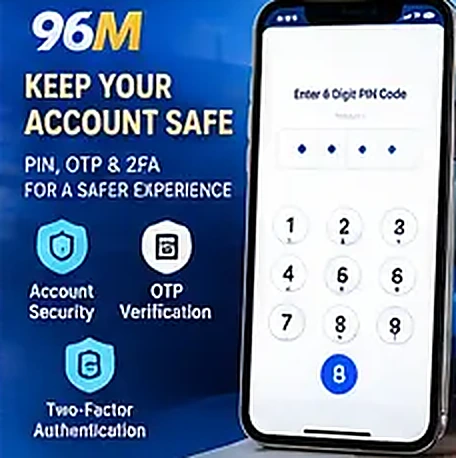
Beyond the password and PIN, you can bind Google Authenticator to your account for safer transactions, using either the QR code or the manual key shown on screen, with download links provided for iOS and Android. In general, an authenticator app generates a fresh time-based code on your own device, so a stolen password alone is no longer enough for someone to act on your account. It is one of the strongest protections an online account can have, and it costs nothing to switch on.
96M also uses fraud and device-risk tools from iovation and ThreatMetrix, and the registration form runs a human check before it will submit.
One rule matters more than any of the technical layers: never share your account or personal information through any communication channel that 96M does not officially display. Legitimate support contact happens through live chat and the contact routes shown on the site. Anyone approaching you elsewhere and asking for a password, an OTP or your PIN is not Customer Service.
Once you are signed in, the account menu splits into two groups.
Fund holds Deposit, Transfer, Withdraw, History and Instant Rebate. Deposit and Withdraw are self-explanatory; Transfer moves money between your Main Wallet and a product wallet so you can bet with that product; History is where you review transactions and check credited rebates. The balance panel above shows your Total Balance broken into Withdrawable and Non-Withdrawable amounts, alongside a Restore Wallet button.
Account holds Profile, Bank Details, Messaging and Referral. Messaging is where inbox promotion offers land, and Referral holds your personal code and share link if you plan to invite friends; the referral program explains what the referred player has to do for the reward to become claimable.
A VIP status box appears on every fund page, showing your current level, the next level and your progress towards it. A new account starts at Normal with Rose Gold next, reached at MYR 50,000 in accumulated deposits.
| Problem | Fix |
|---|---|
| Contact number rejected at registration | Remove the 60 or +60 you typed into the number field; choose +60 in the selector and enter only the digits that follow |
| Password not accepted | Check all three rules together: 8 to 20 characters, both letter cases, and at least one number. The live ticks show which one is missing |
| PIN refused | Avoid the same digit three times in a row, avoid consecutive runs such as 123456, and do not use any part of your phone number |
| Withdraw page blocks the request | Your 6-digit PIN has not been created yet; set it, then bind your bank account |
| Withdrawal name does not match the bank | The Account Name comes from your registered full name and is not editable on the form. Raise a mismatch through live chat before requesting a payout |
| OTP or verification email does not arrive | Request the code on the other channel, then contact Customer Service through live chat if neither reaches you |
| Password forgotten | Use Forgot Password in the header and follow the recovery steps |